Use the full browser workspace for multi-step work, multiple outputs, workers and teams, files, several open panes, and native editing surfaces. This is the clearest starting point for complex workspace work.
The web desktop: sidebar, conversation and editors in one window.
Try this
✦In the browser workspace, attach tender.pdf and type:
Produce a compliance matrix as a sheet, a two-page response summary as a document, and a cover deck. Keep all three open.
What you getThe three editors open in the right-hand pane with the chat alongside, so you can revise each file in turn without leaving the workspace.
Oppermind Desktop
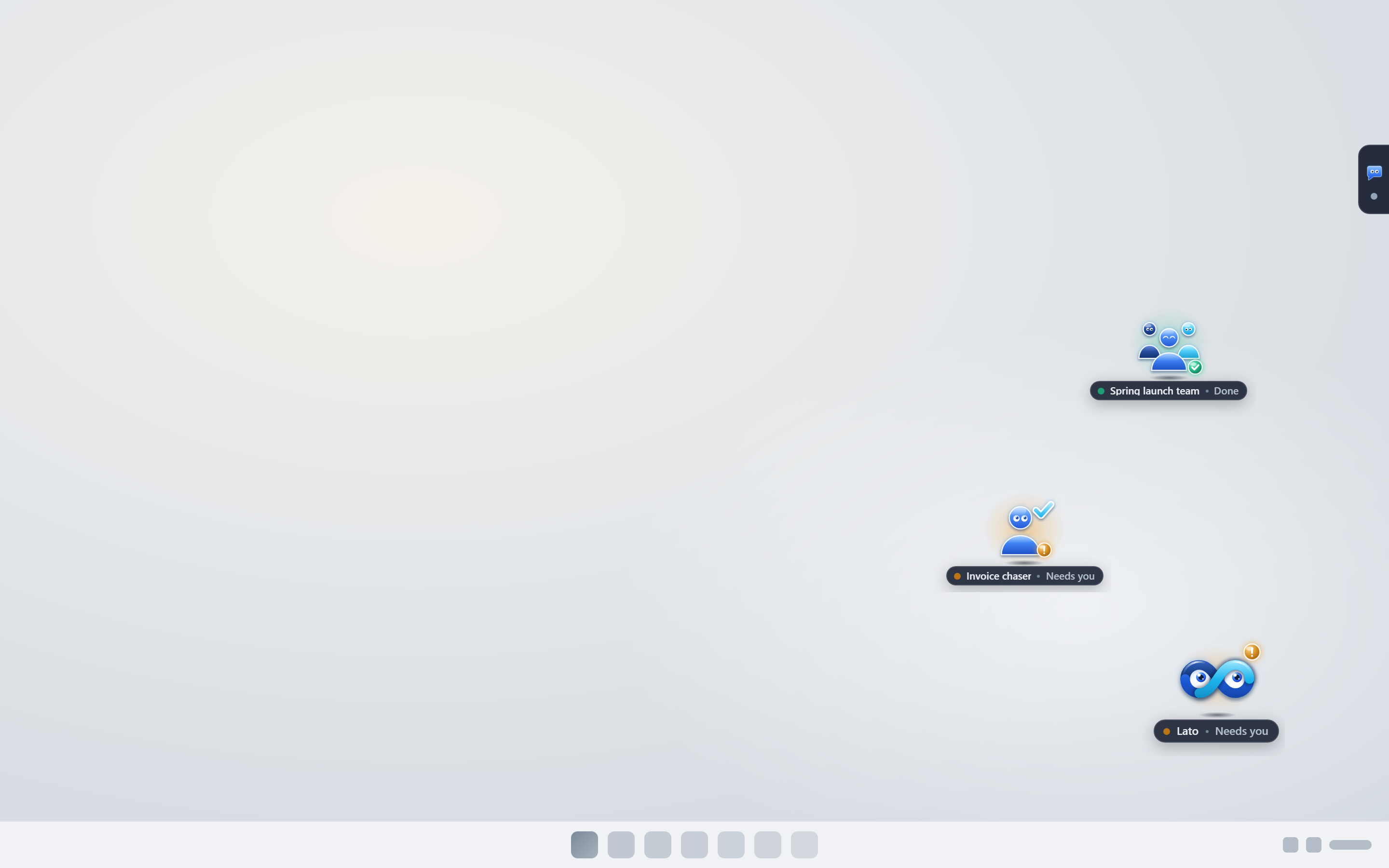
Oppermind Desktop is the Windows app: the whole workspace in its own window, plus computer control, so Lato can work in apps on your PC from any chat, asking once per chat before it takes control. It can also show Lato on your desktop, with chats, workers and teams as small widgets beside it. If computer control is paused, the Desktop Co-pilot panel shows Resume computer control.
Oppermind Desktop can keep Lato and your widgets on the desktop, outside the app window.
Try this
✦In Oppermind Desktop, with computer control on, type in any chat:
Open our accounting app, go to Reports and export the August aged debtors report to my desktop.
What you getLato asks once before it takes control, then works in the app while the Desktop Co-pilot panel shows the screen.
Web mobile
Use the responsive mobile web experience for conversations, attachments, chat modes, and lighter artifact work without installing an app.
▢New conversation ▾⌕
Search files, skills, brands, connectors, apps…
FilesSkillsBrandsConnectorsApps
Active skills inject their instructions into this conversation
Built-in
brand-kit-creatorBuilt-in brand-kit-creator skill
skill-creatorBuilt-in skill-creator skill
Literature reviewFind, verify, and synthesize literature - retrieve first, resolve DOIs, walk citation graphs.
PDF exploreMulti-hop PDF question-answering for long documents.
My Skills
brand-voiceWrites in the house voice: plain, warm, no jargon.
tender-responseAnswers tender questions from our capability statements.
weekly-reportTurns the week's notes into a one-page status report.
+ Create skill↑ Upload
Manage skills →
Mobile web: the same + picker with Files, Skills, Brands, Connectors and Apps.
Try this
✦Open Oppermind in your phone's browser, attach a photo of the whiteboard from today's stand-up, and type:
Turn this into a task list grouped by owner.
What you getThe list comes back in chat with owners as headings; you copy it now and open the same conversation on your desktop later for anything heavier.
iPhone and Android apps
The iPhone and Android apps carry your conversations, chat modes, files, skills, brand kits and connectors, and you can review or create documents, sheets and decks. On iPhone, the Oppermind keyboard offers Fix, Rewrite, Shorter and Tone in any app; on Android, Send to Oppermind works from any share sheet and Rewrite with Oppermind from selected text. Choose the desktop workspace when several panes or detailed editing matter.
‹ MessagesPriya
Hi Priya, just back from site.
Can you send the quote by tomorrow?
yeah should be fine will try get it done tmrw morning▍
Oppermind KeyboardFixRewriteShorterTone
qwertyuiop
asdfghjkl
⇧zxcvbnm⌫
123spacereturn
The iOS keyboard's action bar: Fix, Rewrite, Shorter and Tone work on the text in any app.
Share
Q3 supplier contract.pdf
Send to OppermindShare text, links, images and files into a chat
Rewrite with OppermindFrom the text-selection menu in any app
Mail
Messages
Oppermind shortcutsNew chatVoice noteContinue
Android: Send to Oppermind from any share sheet, Rewrite with Oppermind from selected text.
Try this
✦On Android, attach a photo of the new shopfront sign, tap + and pick your kit from the Brands tab, then type:
Draft an Instagram caption for our store opening in our brand voice.
What you getThe brand kit chip appears and the caption comes back in chat; for the matching poster you move to the desktop workspace, where the Design editor has room to work.
Chrome and Edge extension
Oppermind for Chrome opens in the browser's side panel, and the same extension installs in Microsoft Edge with Download for Edge (.zip) in Settings, Apps and extensions. Text you select on the page shows as a tag in the chat box, such as 12 words selected, and goes with your next message; close it with × to leave it out, and right-click Send selection to Oppermind still sends a selection straight away. The + menu adds files, skills, brand kits and connectors, plus Include this page and Capture the visible tab, and the mode menu offers Drive this tab, Cloud chat and Full desktop control.
When
What to do
Before browser actions
Choose Ask before acting or Act without asking to set how actions are approved. Browser access and a signed-in destination may still be needed.
Continue from earlier results
Keep follow-ups in the same conversation: Lato uses the earlier messages and results, so a report can build on the research it just completed.
Change a running browser task
In Drive this tab, send a new message while the task is running to adjust the work. Stop browser task remains a separate button.
What you select on the page goes with your next message until you close the tag.
Try this
✦On a supplier's terms page, select the cancellation paragraph, open the Oppermind side panel and type:
Explain what this means for us if we cancel within 30 days.
What you getThe selection tag goes with your message and the answer appears in the side panel, without copying anything or leaving the tab.
Steer a running browser task
While Drive this tab is working, type another instruction and press Enter or Send. Lato reads it with the current task and its progress, then updates the task, answers a status question, asks you to clarify or queues it for afterwards, and the feed acknowledges the update. You do not need to stop and start a competing task to add a requirement.
Intent
Example or control
Adjust the current task
To adjust the current task: Only include restaurants with outdoor seating.
Queue a next step
To request a next step: When you finish, write a report in Google Docs using those results.
Ask for status or clarify
To ask for status: What have you found so far? If Lato asks a clarification question, answer it before browser work resumes.
Stop or change mode
Use Stop browser task to stop work. Stop the current task before changing control mode.
Lato · ChromeSigned in
What can I help with?
I can read and work in this tab, and make things that open in their own tab.
Ask about this pageSummaries, explanations and answers from what you are looking at.
Do it in this tabI click, type and fill in forms while you watch. Press stop at any time.
Make a document, sheet or deckIt opens in its own tab, and I keep editing it while we talk.
Check back laterI can look again on a schedule and tell you what changed.
Look across several sitesI open background tabs to compare and collect results.
Ctrl+Shift+L opens this panel. Ctrl+Shift+E sends selected text here. Right-click the panel for theme and feedback.
Act without askingRun browser steps without pausing for approvalAsk before actingPlan the approach before taking page actionsDrive this tabLato clicks and types in the current tabCloud chatStream through your Oppermind accountFull desktop controlWhole-screen automation via the local agent (requires desktop co-pilot to be installed)
Ask Oppermind anything…
Act without asking
Oppermind is AI and can make mistakes. Please double-check responses.
The mode menu: how Lato acts on the page, and where it works.
Try this
✦Start in Drive this tab: Find three highly rated restaurants around Perth and keep the names and sources. While it works, send: Only include places with outdoor seating. Then send: When that is finished, put the findings into a Google Doc and explain why each is recommended.
What you getThe seating requirement updates the research and the report can be queued for afterwards, using the conversation findings. Review the feed acknowledgements and the resulting document; browser input alone does not prove that a file was saved.
Word, Excel, and PowerPoint
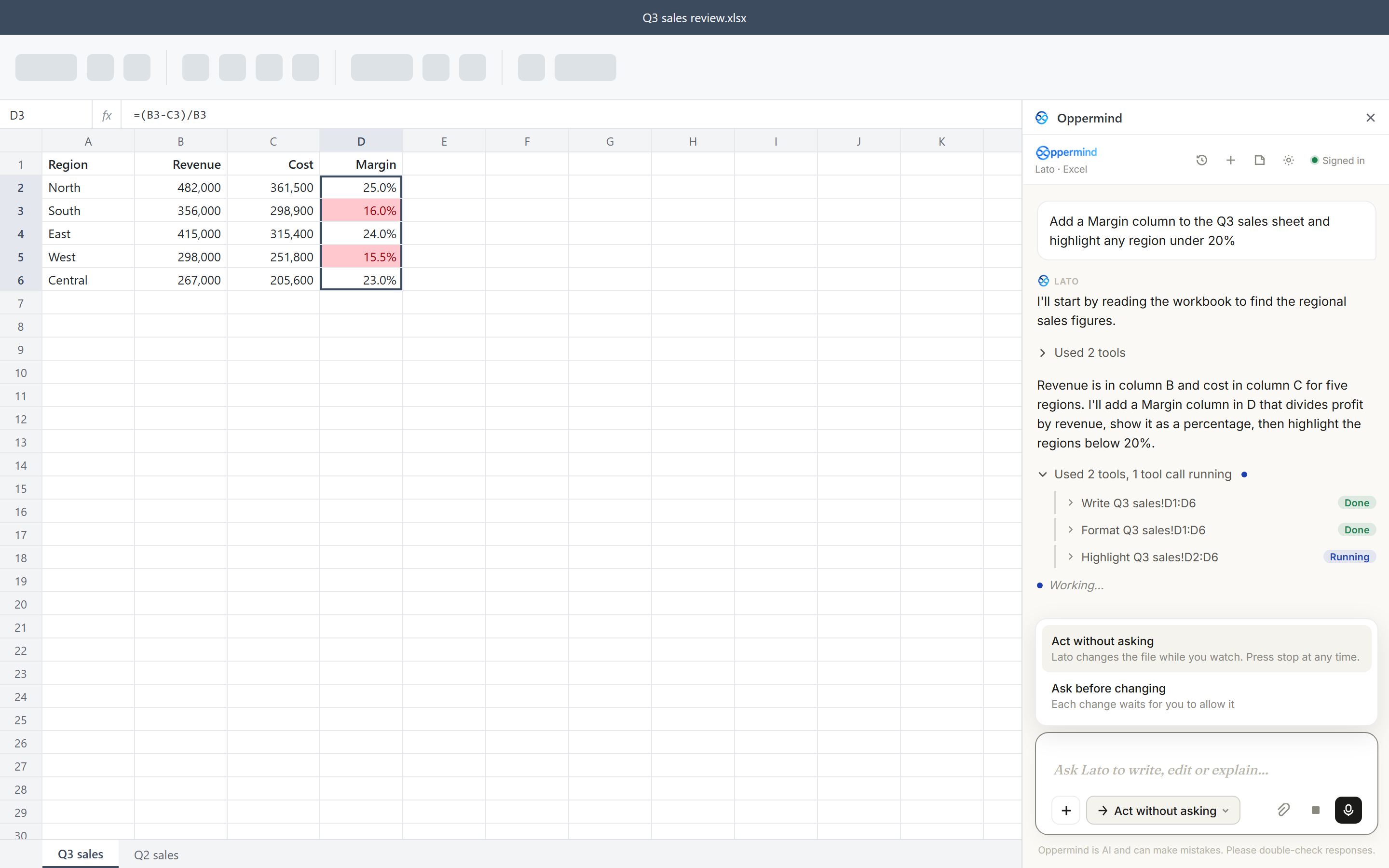
The Oppermind add-in opens from Home, then Oppermind, in Word, Excel and PowerPoint. Lato reads the file you have open, makes the changes you ask for and shows each step, either acting while you watch or asking before each change. Word, Excel, and PowerPoint add-ins covers the panel in detail.
The Office panel shows each step it takes in your open file.
Try this
✦In Excel, select the range holding this quarter's sales by region, click Home then Oppermind, and type in the panel:
Add a column showing each region's share of the total as a percentage to one decimal place.
What you getYour selection shows as a tag, Lato writes the new column with working formulas beside the range, and each step is listed in the panel.
Learn the controls for the device you are using
Desktop web and the Windows wrapper share the desktop app layout. Phone web, iOS and Android use the mobile layout, including a collapsible settings section menu. Read Settings, preferences and your account for the exact navigation differences. You can explicitly ask Lato to show you a supported feature in the app; the App-control demonstrations guide explains its scope, protected actions, screenshots and recovery. Desktop floating selection formatting, Chrome Drive-this-tab steering and editor controls are separate features with their own platform limits.
Search files, skills, brands, connectors, apps…
FilesSkillsBrandsConnectorsApps
Active skills inject their instructions into this conversation
Built-in
brand-kit-creatorBuilt-in brand-kit-creator skill
skill-creatorBuilt-in skill-creator skill
Literature reviewFind, verify, and synthesize literature - retrieve first, resolve DOIs, walk citation graphs.
PDF exploreMulti-hop PDF question-answering for long documents.
My Skills
brand-voiceWrites in the house voice: plain, warm, no jargon.✓
tender-responseAnswers tender questions from our capability statements.
weekly-reportTurns the week's notes into a one-page status report.
+ Create skill↑ Upload
Manage skills →
Ask Oppermind anything…
AutoAutoAuto · 50% · Pro · Balanced
Lato can open the + menu and select a Skill; sending stays with you.
Try this
✦Show me in the app how to attach a Skill from the + menu; do not send a message.
What you getLato opens +, chooses Skills and selects the one you asked for, then stops so you can type and send the prompt yourself.
GUIDED LEARNING
Practise this in Oppermind Academy
Follow the related tutorial or course and apply the concept to a real task.

 Send to OppermindShare text, links, images and files into a chat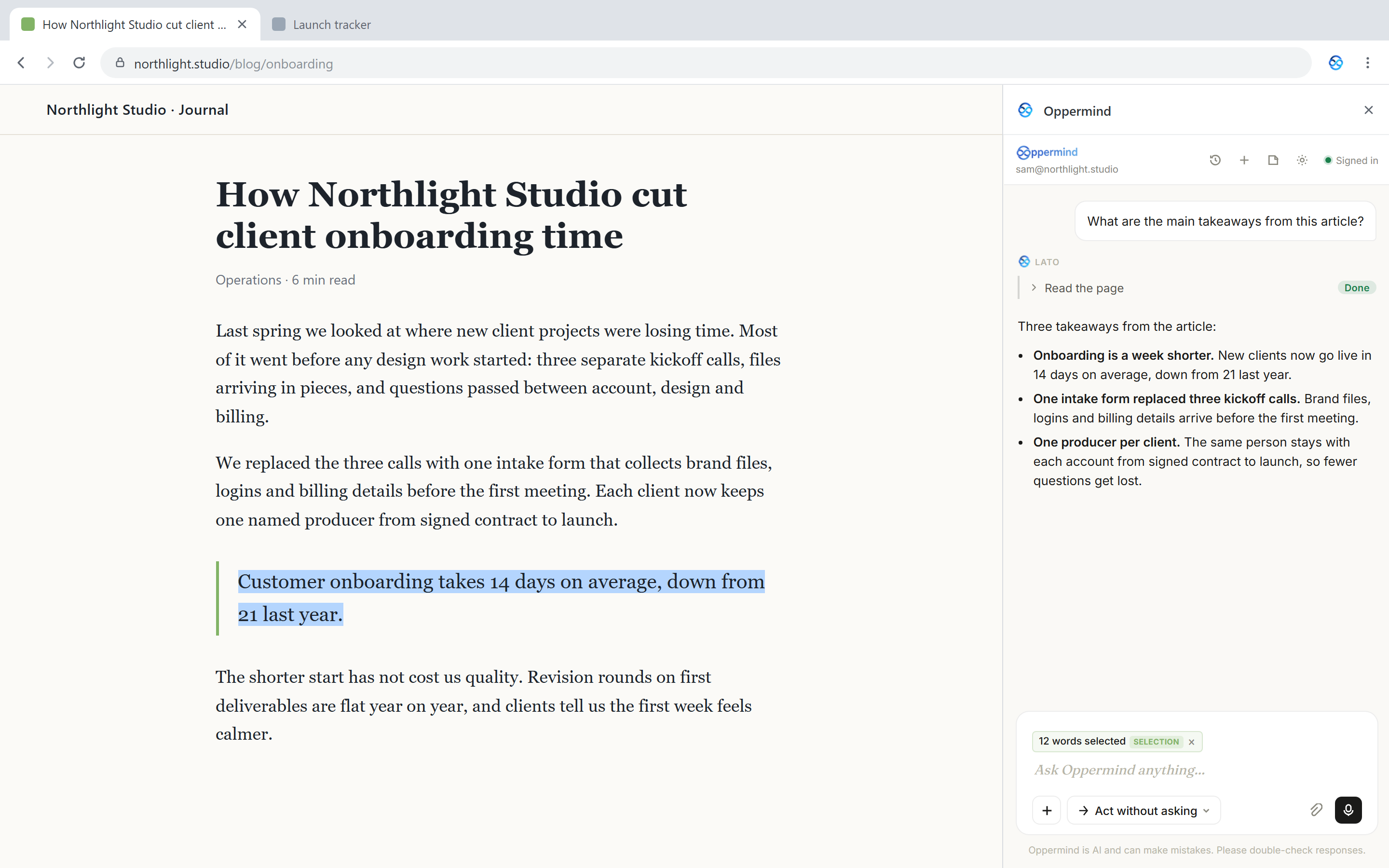
 Lato · ChromeSigned in